
On October 12, 2026, Google Ads will start reading the coupons and discounts that appear on your website and turning them into ads without you having to create anything. The feature is called Automated Promotions, it comes turned on by default, and it applies to Search and Performance Max campaigns. For a store or a local business about to enter the strongest season of the year, it is a change that can help or cause problems, depending on how organized the website is.

What are Google Ads automated promotions?
They are an account level automated asset that looks for offers on your pages, such as coupons and discounts, and turns them into promotion extensions within your ads. Google describes it as a system that identifies and extracts high quality promotions directly from your site and applies them to campaigns without manual setup.
The notice reached advertisers by email in early October and was reported by Search Engine Roundtable on October 5 and by PPC Land on October 6. The feature had already been introduced in September, according to PPC News Feed, but Google now confirms the date on which it will be on by default: October 12, 2026. Examples mentioned in the coverage are a 20% discount on black sweaters or a buy one get one free deal.
Which campaigns are affected?
Only Search and Performance Max campaigns that have linked location assets and no manually created promotions. If a campaign already has its own promotions, Google skips it. A useful detail is that Google uses the word currently when describing that scope, so it could expand later.
This is different from Merchant Center's automated promotions, which are a separate feature. It is also worth knowing that Google has not said in which countries or languages it applies. For a bilingual account advertising to the Hispanic audience in the United States, that doubt matters, because it is unclear how offer reading will behave on a site that mixes English and Spanish.
How does it work and where does it show up?
Google reviews the site, detects a valid offer, and creates the promotion asset. When it starts serving, it appears in the Assets section of your account with the label Google AI in the Added by column. Assets that receive no impressions do not appear in the report, so an offer that Google attached to your campaign but that never served can go unnoticed.
There is a key detail about validity. According to PPC News Feed, each extracted promotion can run for less than 24 hours before it has to be verified again. Google renews it only while it can confirm that the offer is still visible on the site. That is an advantage if your site is well maintained, but it makes your page the source of truth for what Google is going to advertise.
What are the risks?
The first is the expired offer. Relevant Audience warns that if a banner on the site stays up after the promotion ended, Google could keep showing it. In a season like Black Friday or Cyber Monday, where offers start and end on very precise dates, a forgotten banner can mean advertising a discount that no longer exists.
The second is conditions. A promotion with a minimum purchase, an app only code, or a product restriction can lose those conditions when it is summarized in the short text of an ad. The third is control: Google did not define what it considers high quality, did not explain how it treats rejected offers, and did not confirm whether accounts that had already chosen to turn the feature off will keep that setting. Accounts in regulated categories, such as finance, health, or insurance, should review more carefully before letting an automated system write their offers.
How do you turn it off or control it?
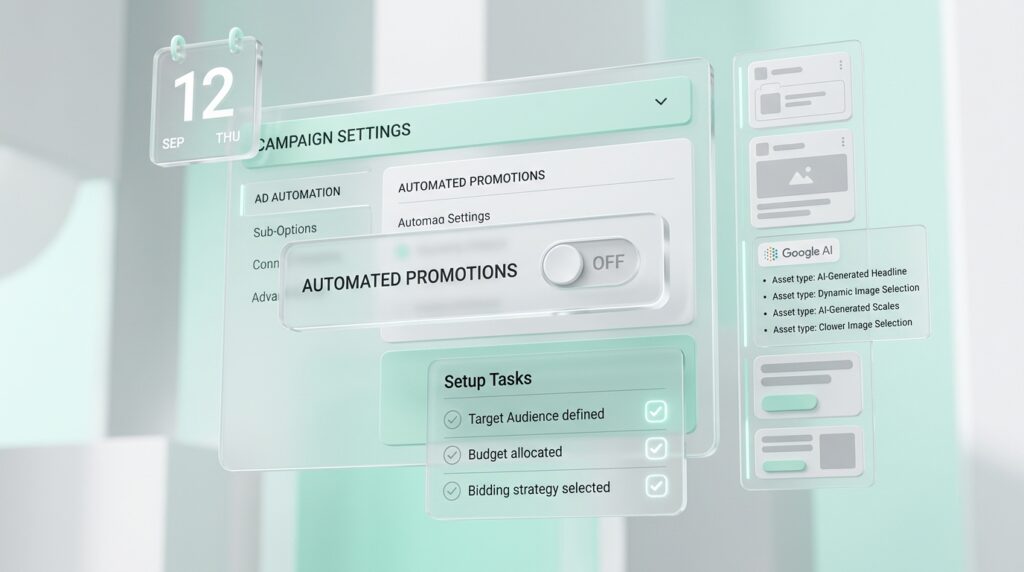
The simplest exit is to turn it off at the account level. According to Relevant Audience, the path is Assets, then Account level automated assets, then Advanced settings, and set Automated promotions to Off. As far as the sources report, there is no campaign level control, and Google's notice does not mention one.
There is an intermediate alternative. If you create manual promotions in a campaign, you define the exact text and dates, and that campaign is left out of the automation, although it requires upkeep. The decision depends on the type of business: if your site is organized and the offers are simple, leaving it on and watching it can bring clicks without extra work. If promotions need approval or nobody is going to audit the Google AI assets, turning it off is the safe option.
What should a business do before October 12?
The first step is to review the site. Remove banners and text for expired offers, keep the conditions next to the discount, such as minimum purchase and dates, and make sure the offers in English and in Spanish say the same thing. Then go into the account, confirm whether the feature is on or off, and decide whether to leave it on. Once it is running, review the Assets report every week during the first few weeks to see which promotions Google is pulling.
Consider a typical case, not real data but an example of how it might look: an online clothing store for a Hispanic audience in the United States has a 20% discount banner that stayed up after a weekend sale ended. If the feature is on, Google could keep showing that offer in the ads until someone removes the banner.
This kind of automatic Google decision connects with other recent changes. If you are interested in how language affects your campaigns, we explain it in our blog on the removal of language targeting in Search. And if you are adjusting your customer lists, review our analysis of Customer Match with IP addresses.
Frequently Asked Questions
What are Google Ads automated promotions?
It is a feature that reads the offers on your website, such as coupons and discounts, and turns them into promotions within your Search and Performance Max ads without manual setup.
When does it turn on?
Google will leave it on by default starting October 12, 2026, in accounts that have not turned it off. It only applies to campaigns with linked location assets and no manual promotions.
How do you turn it off?
In Assets, Account level automated assets, Advanced settings, by setting Automated promotions to Off. The sources do not report a campaign level control.
Does it apply in Spanish and in every country?
Google has not confirmed in which countries or languages it is available. It is worth checking in your account whether the option appears and watching the Assets report to see which promotions are being published.
Last updated: October 2026. This article will be updated when Google clarifies the countries, languages, and campaign level controls for automated promotions.