On November 10, 2026, OpenAI introduced Businesses in ChatGPT. The feature lets businesses claim their listing, correct it, and see how often ChatGPT mentions them. Claiming the listing is free at launch, and it requires verifying the business and the identity of whoever manages it. There are details OpenAI did not clarify, such as where the listing data comes from and whether it will ever be charged for. Here we explain how a business profile in ChatGPT works, which steps to follow, and what not to take for granted.
We could not open OpenAI's pages from our work environment, so we cite the outlets and guides that describe them, among them VentureBeat, The Next Web, SOCi, and eesel. When something is an OpenAI claim relayed by others, we say so.
What did OpenAI launch on November 10 and what is Business Hub?
It launched, in beta, a dashboard called Business Hub, from which businesses claim and manage their listing inside ChatGPT. According to The Next Web, verified companies receive a blue check and can update their details, prices, and stock. They also see how often ChatGPT mentions them, how many users reach their site, and which topics come up most in conversations.
The announcement also includes Business Agents, AI agents the user can chat with from a company's listing. For now they are only available to US online stores and online service businesses that meet the requirements. We cover them below.
Does ChatGPT already have a listing for your business even if you did not ask for one?
Everything indicates yes in many cases, but OpenAI does not explain where the data comes from. In the claim flow, according to VentureBeat, you search for your business name and pick it from the suggestions, or type it in if it does not appear. And according to eesel's guide, which summarizes OpenAI's help center, local stores and restaurants can only claim a listing that already exists in the United States.
There is a clue about the source of that data, not an explanation. SOCi says Yelp began licensing its reviews, ratings, photos, and business details to OpenAI this summer, and that this content already appears in ChatGPT answers. The same guide adds that ChatGPT still uses listings from Google, Apple, Meta, and Yelp, but that is the author's characterization and not an OpenAI statement. OpenAI says ChatGPT "may still use other sources" without specifying which.
How do you claim your business profile in ChatGPT step by step?
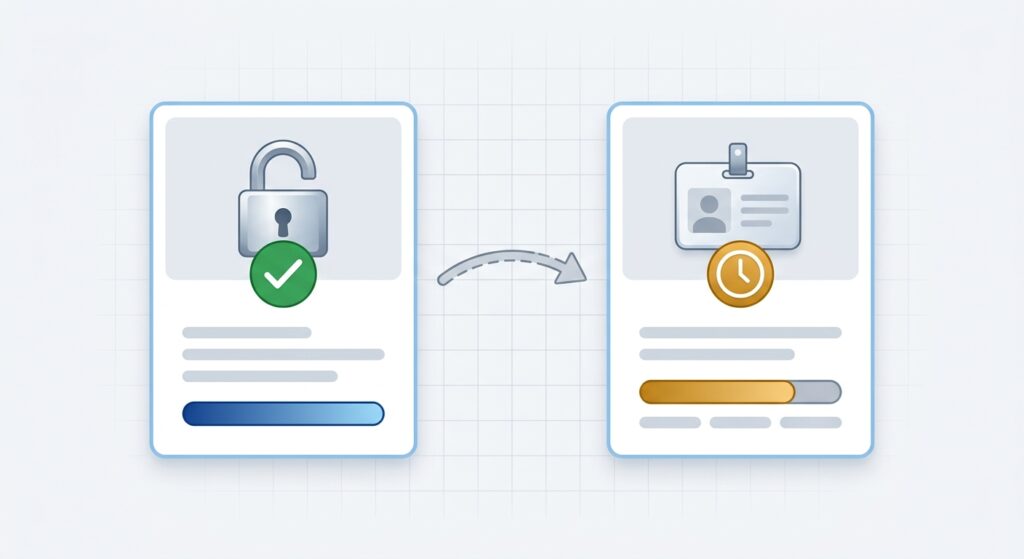
The process has two separate gates, according to VentureBeat and eesel. First, you log in to ChatGPT with your work account, open Business Hub, search for your business, and click "Get Started." Then you log in again with the account that will hold administrator permissions and complete the setup.
The first gate is business verification. According to those sources, OpenAI uses one of four methods, and you will not always see all four. It can be a business phone with an SMS or call, or a business email with a code. It can also be your site's domain with a TXT record in the DNS, or a connected Shopify store. To use the domain you need DNS access.
The second gate is identity verification. Whoever manages the listing must pass a check with Persona, the outside verification service. According to eesel, it may ask for a government issued ID, business registration details, and proof that you can represent the business. Until you pass it, you cannot publish changes, connect a product catalog, see analytics, or create an agent.
The blue check appears after that approval, according to OpenAI's help center as summarized by eesel. That same guide warns that the launch page says it appears "to show it has been claimed," which does not fully match. Between the two, the prudent reading is that the check arrives with identity verification.
OpenAI does not publish how long the review takes. You receive the decision by email, and OpenAI reviews changes before publishing them, so ChatGPT's answers may take time to reflect them.
How much does it cost and who can claim the listing?
Claiming the listing and publishing a Business Agent are free at launch. According to VentureBeat, citing a Digiday report on a briefing with Benji Shomair, OpenAI's vice president of monetization, he did not rule out charging in the future. That is why "free for now" is the correct wording. The Next Web found no published prices for either feature.
The owner or an authorized representative can claim. You do not need a ChatGPT Enterprise agreement or an ads account. Agencies get access through the owner, according to eesel, so if you work with an agency, the claim must be started by someone at your company.
Availability depends on location and business type. Listings can be claimed in the markets where ChatGPT operates and where OpenAI supports verification, but local stores and restaurants can only claim an existing listing in the United States. Some categories are on hold, and OpenAI may decline requests over safety or integrity concerns.
What can you change and what data does Business Hub show you?
You can update the information customers see and, if you sell products, connect a catalog with prices and stock or a Shopify store. According to VentureBeat, the listing data comes from what the business supplies, the catalog you upload, and Shopify.
Business Hub shows aggregate data for 28 days: website clicks, mentions, and recurring topics. According to VentureBeat, an online business counts as mentioned only if ChatGPT references its website, while a local business counts if its location is shown. Metrics appear only once they pass certain minimums, so an empty value may mean data is still being collected.
There are limits worth knowing. OpenAI says it does not share users' conversations or agent chats with businesses. As an owner you see the topics that repeat, but you cannot read the chats to learn where an answer fell short.
Does claiming your listing make you appear more in ChatGPT?
There is no evidence of that. VentureBeat recalls that claiming the profile does not guarantee better placement or more sales, and OpenAI states that ChatGPT will keep making independent recommendations. It also did not explain how it chooses which businesses to mention, according to The Next Web.
There is one sensitive point. A business can make its Business Agent the destination of a ChatGPT ad, although that format is in a limited test with selected advertisers. The Next Web relays a Digiday report according to which paying does not change how often a business is recommended, and notes it did not verify this on its own. It is an unconfirmed claim.
What does make sense is that a claimed listing with correct data keeps ChatGPT from repeating old information. That corrects errors, and it is not the same as improving ranking.
What is a Business Agent and who can create one?
It is an AI agent that answers questions about your products and policies, for example whether an item fits a space or whether sale items can be returned. According to The Next Web, when a business appears in an answer, the user can open its profile and chat with the agent, and the conversation is labeled and kept separate from ChatGPT's own answers.
The business supplies the information and sets the guidelines, and can test the answers before publishing. Agents must say they are AI, keep prices accurate, and avoid pressure tactics. Purchases and the use of personal data require the user's explicit approval. For now, buyers go to the brand's website, and payments with Visa are in development.
Only US online stores and online service businesses with a website can create one. A local restaurant or clinic can claim its listing, but cannot yet have an agent.
What has OpenAI not said?
Several answers are missing. It did not say how long the review takes, how mentions are calculated, or what will happen with pricing when the beta ends. It also did not say whether businesses outside the United States will get agents, or when, or how disputes or agent errors will be resolved.
SOCi adds questions for companies with several locations. It is not known when there will be tools to claim many locations at once, or whether franchisees will be able to use self service. It is also not known how ChatGPT weighs listings against reviews. SOCi sells listings software, so its recommendations carry a commercial interest.
What should you do this week about your business profile in ChatGPT?
These are recommendations from our team, not OpenAI instructions. First, before claiming anything, ask ChatGPT about your business in several ways, the way a customer would, and save the answers. SOCi proposes the same as a starting point, and it helps you compare later.
Second, decide who the administrator is and use a company account, not a personal one, so access does not depend on one person. Third, gather the data before you start: address, phone, hours, services, prices, and the documents the identity check asks for. Fourth, if you cannot find your business, prepare the full details before creating a listing. According to eesel, when a new profile is created through Persona, it is published automatically on approval, and OpenAI support cannot delete a published one, only drafts. That warning comes from a guide and we did not verify it with OpenAI.
Fifth, if someone else already claimed your listing, use the option to dispute ownership that eesel describes. Sixth, if you have several brands or locations, remember that each brand is managed separately and that claiming the main brand does not claim its locations. And seventh, keep your data the same across Google, Apple, Meta, and Yelp, because ChatGPT appears to use several sources.
Consider a typical case, not real data but an example of how it might look. A veterinary clinic in Austin asks ChatGPT about its hours and finds it repeats last year's. It claims its listing with the clinic's email, passes the identity check, corrects the hours, and repeats the question a week later. If the answer now shows the new data, it notes when that happened, and if not, it checks the other listings where the error appears.
When does it make sense to ask for help with your business profile in ChatGPT?
When you have several locations or brands, messy data across platforms, or an online store with a large catalog you want to connect. An experienced team can prepare the data, coordinate the verifications with the owner, and review each week what ChatGPT says about your business. If you want us to review your business profile in ChatGPT, you can contact the JP Director team.
This topic connects with others we have published. To understand how ChatGPT is adding ads, read our analysis of ChatGPT Ads. And to see another case of AI features that turn on by themselves, review our analysis of Meta's AI features.
Frequently Asked Questions
What is ChatGPT's Business Hub?
It is the dashboard, in beta since November 10, 2026, where businesses claim their ChatGPT listing, update their details, and see mentions, site clicks, and frequent topics.
How much does it cost to claim the listing?
It is free at launch, according to a Digiday report relayed by VentureBeat. OpenAI did not rule out charging in the future.
What do I need to verify my business?
A business verification method, which can be a phone, an email, your site's domain, or Shopify, and an identity check with Persona. The blue check arrives with that last approval.
Will claiming the listing make me appear more?
It is not guaranteed. OpenAI says ChatGPT will keep recommending independently, and it did not explain how it chooses which businesses to mention.
Last updated: November 13, 2026. This article will be updated if OpenAI publishes pricing, details where listings come from, or expands Business Agents outside the United States.